ARVE · AI Raw Video Editor

ARVE · AI RAW VIDEO EDITOR

Long
video —
into a burst

Stand your phone in the corner of the gym and film the whole session in one take. ARVE cuts it down to a short reel: the working sets stay, the plate-loading and the rest between them do not.

The app is not published yet. The buttons lead nowhere for now — the real links will appear here on release day.

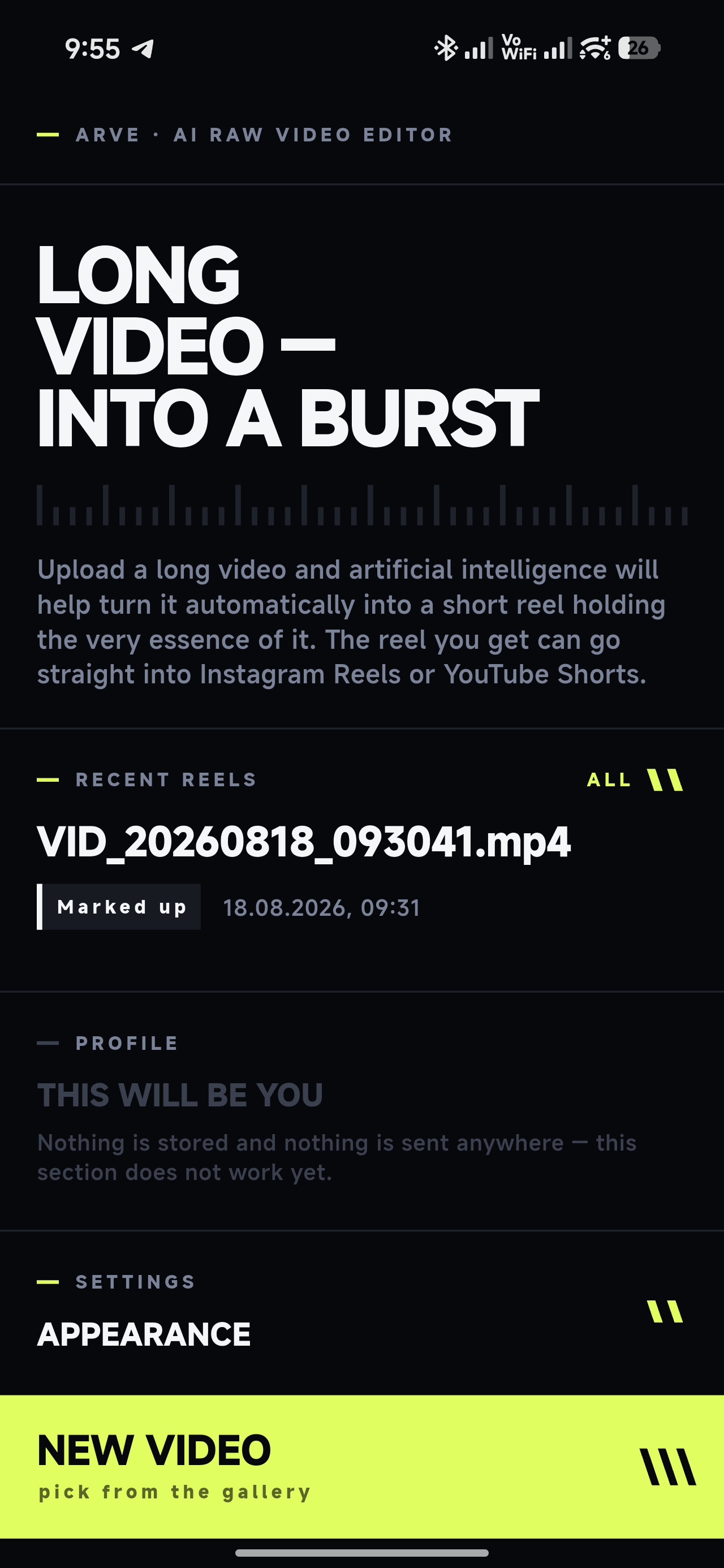
ARVE home screen: the headline «long video — into a burst», recent reels and the «new video» button

What it is for

The whole session —
only the
working sets

The camera stays put: you do a set, load the plates, rest, do another. ARVE goes through the whole recording and keeps the part you filmed it for.

There is no manual timeline here. Nothing to drag, nothing to trim frame by frame — you say what the reel should be, and the app does the cutting.


What you do

Four steps

01
Filming

Film the session in one take with the camera standing still. Or use a recording already on your phone.

02
Analysis

The video goes off to the cloud to be analysed, and the app gets back a map of the recording: where a set is, where the preparation is, where the rest is.

03
Rhythm and length

You choose the rhythm — calm, medium or aggressive — and the length of the reel. The assembly runs on the phone, without going to the network.

04
Finish

A colour filter and the sound: original, off, or your own music. Then watch it, save it to the gallery, share it.


The honest list

What is inside

Adaptive length
The reel's length follows the material. If the recording holds few sets, the app says so plainly instead of padding the reel with nothing.
Rebuild with no internet
A recording that has already been analysed can be rebuilt — at another rhythm or another length — without going to the network.
History of attempts
Every attempt stays in a list with its own status: processing, done, saved, unfinished, source gone.
Filters and sound
Ten colour filters plus a no-filter option, previewed right on the playing video. Sound: original, off, or your own track.
Time per stage
How long each stage of the processing took is shown right there in the app.
Russian and English
The interface language is switched in settings. Exactly two languages, chosen by hand.
It posts nothing
The app never puts anything online by itself. The reel reaches your phone's gallery when you press «save», and «share» hands the file to whichever app you pick.
A dark interface
One look — «Impulse»: a black room, a single acid accent on whatever can be pressed, and nothing round anywhere.

Status

Not in the stores yet

The app is being prepared for its first release. No Google Play or App Store links exist yet — the buttons on this page sit in their proper places but lead here rather than to a store. The moment the store pages exist, the links go in.